Our [MCP server](/connectors/zohobooks/knowledge-base/mcp) allows you easily query your Zoho Books data directly from within ChatGPT.
> NB. as of writing, ChatGPT requires that you have a **Plus** or **Pro** account in order to connect a 3rd party MCP server
Open a new chat window, then activate _Developer Mode_ via the settings button:
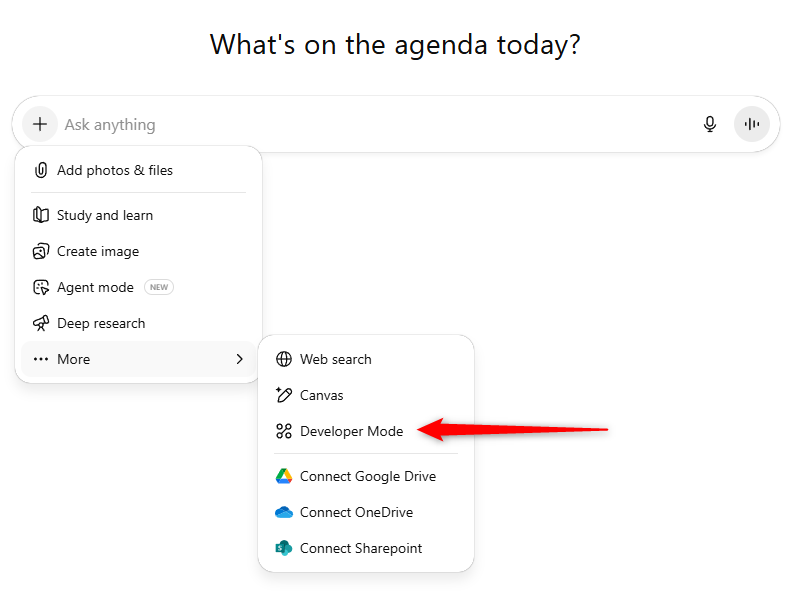
> Note that you may need to have _Admin_ privileges within ChatGPT in order to activate Developer Mode
Next, visit the settings again and you'll have an option to add a new source:
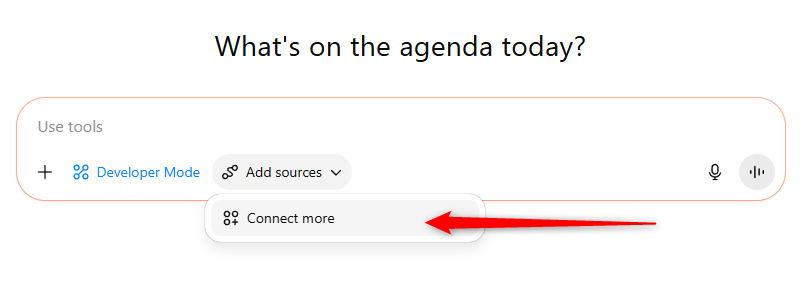
When prompted, enter the following details into ChatGPT:
Server URL: https://api.synchub.io/mcp
Image: [Download our logo here](https://www.synchub.io/i/assets/SyncHubLogo512x512.png)
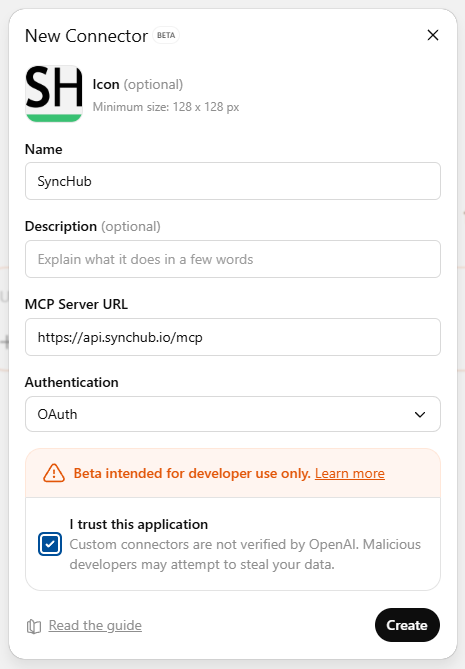
Follow the instructions to continue your authentication with your SyncHub account.
**Important: ** after you return to ChatGPT, you might have to activate your connection before beginning your chat:
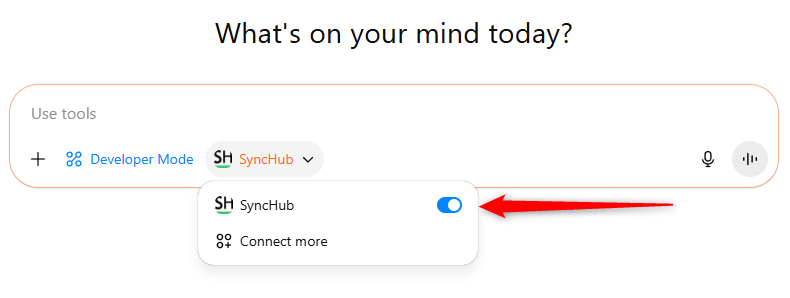
Please **note also** that this option may be greyed out if you've already started a conversation, so make sure you start a new one.
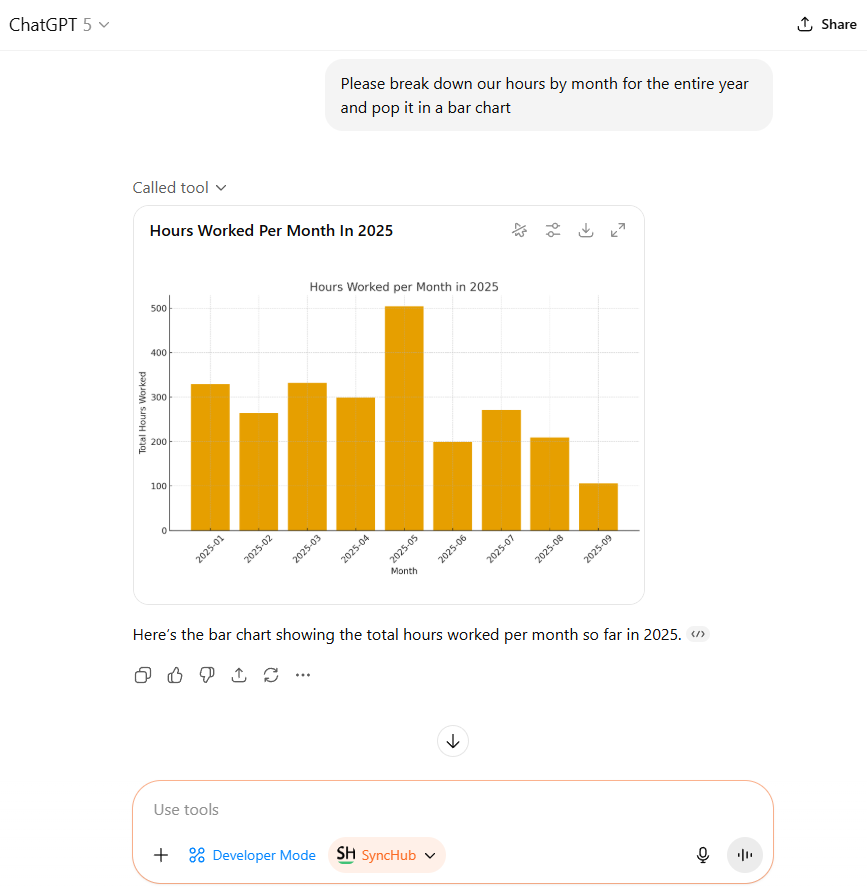
Lastly - start chatting:
Have fun!!
Or check out these blog articles...