Our [MCP server](/connectors/wordpress/knowledge-base/mcp) allows you easily query your WordPress data directly from within Claude.
### Connect to your WordPress MCP Server
First, you'll need the address of our MCP server: **https://api.synchub.io/mcp**
Open your Claude settings from within your chat, then select _Manage Connections_:
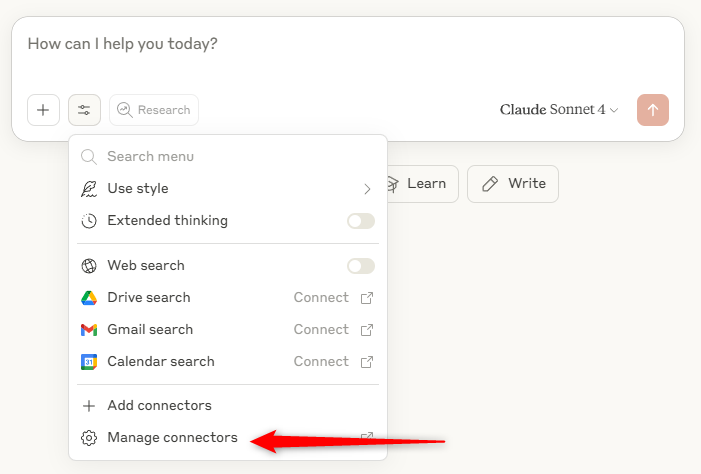
Add a new _custom connector_ and enter the MCP server above, and a description:
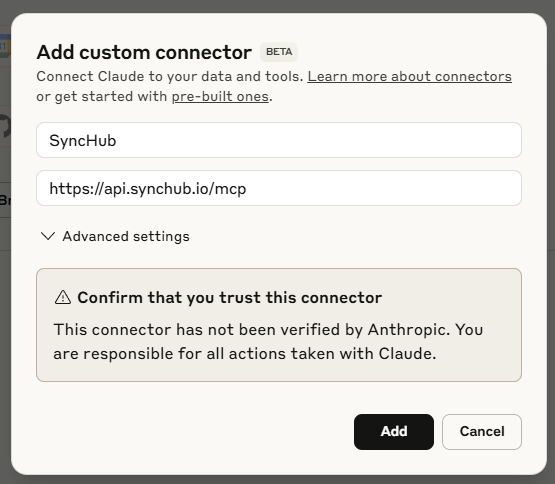
That's it! Now, at this point you may have to _Connect_ to the app - just click the button here:
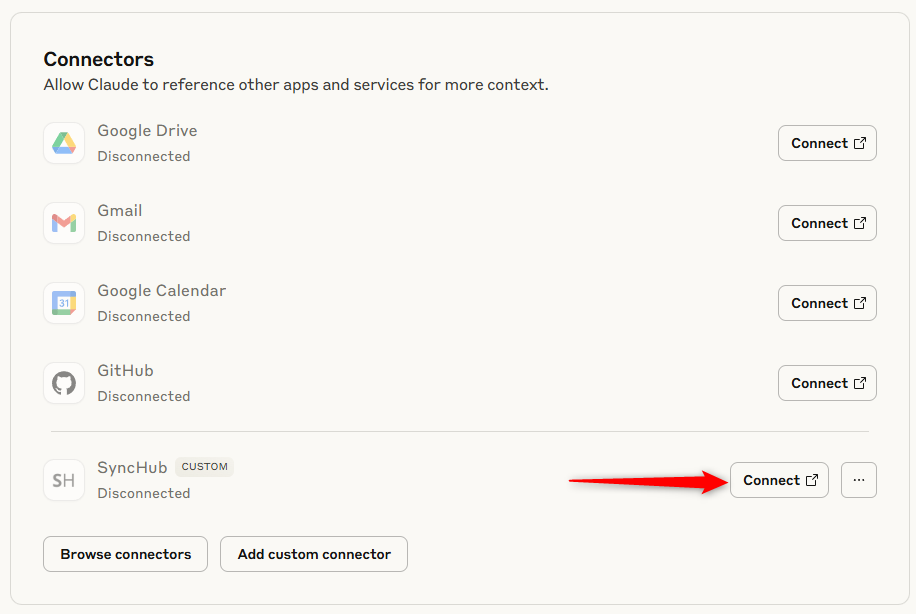
If you are already connected, no problem - just proceed to your chat...
#### Chat with your WordPress data from within Claude
First, make sure your new connection is active:
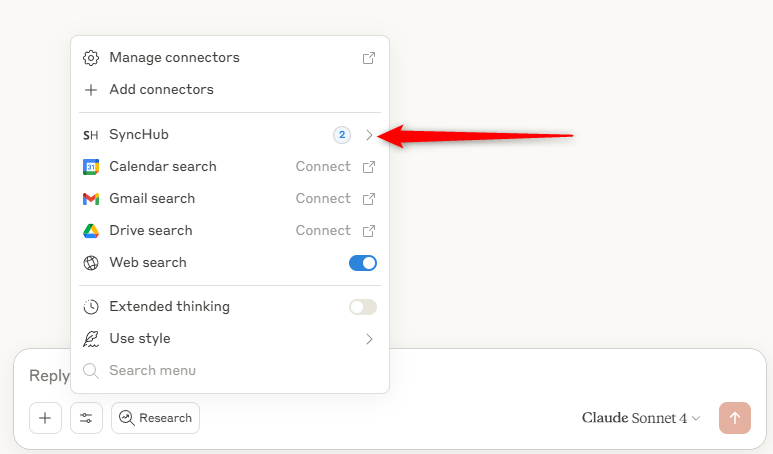
If it's not, go back to manage your connections and make sure SyncHub is connected properly.
You'll note the (2) indicating that tools that are available for Claude to use. Let's try a couple of them out now. First, I'll ask what connections I have access to (you wouldn't generally ask this yourself, but we're just going to demonstrate that Claude knows):
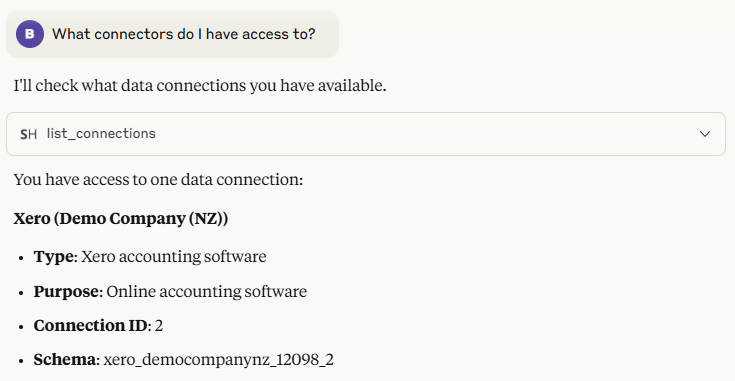
Pretty cool huh? Claude has pinged our MCP for a list of our current connections and rendered them in the chat. Now, for the good stuff - let's ask about our recent charges:
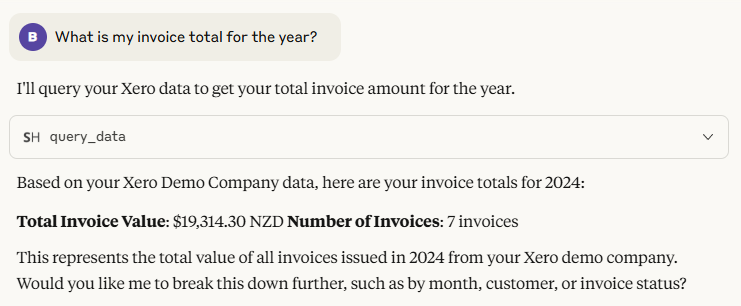
And there you have it! Claude has used the `query_data` tool to query our account and return the requested information.
Or check out these blog articles...