MYOB Business is a sophisticated and comprehensive cloud-based platform. For many, the built-in reports and analysis that MYOB Business offers is enough for our day-to-day needs. However, if you need something a little more customized, you need to aggregate your data over multiple MYOB Business accounts, or you need to cross-reference your MYOB Business data with other cloud services, then you’re going to have to build it yourself. And what better way than using the tool you’re already familiar with - Looker Studio (formerly Google Data Studio).
In this article, I’ll take you through the steps to connect Looker to your MYOB Business data, and get started customizing the reports you need.
First - grab your SyncHub Credentials
If you don’t already have a SyncHub account, you can grab a free trial here - go on, I’ll wait - it only takes a minute and you can cancel as soon as you’ve finished this tutorial if you like.
Ready? Now, a quick reminder - SyncHub works by staging your MYOB Business data in a relational database. This gives us a huge advantage over other connectors which query the MYOB Business API directly, but I won’t go in to them here. The point is, once you have connected your MYOB Business account, querying from Looker is trivial as you are just using its native SQL Server Connector.
So, once you’re connected, go to your SyncHub Dashboard and grab your new database credentials, then proceed back to this article
Reading your MYOB Business data from Looker Studio
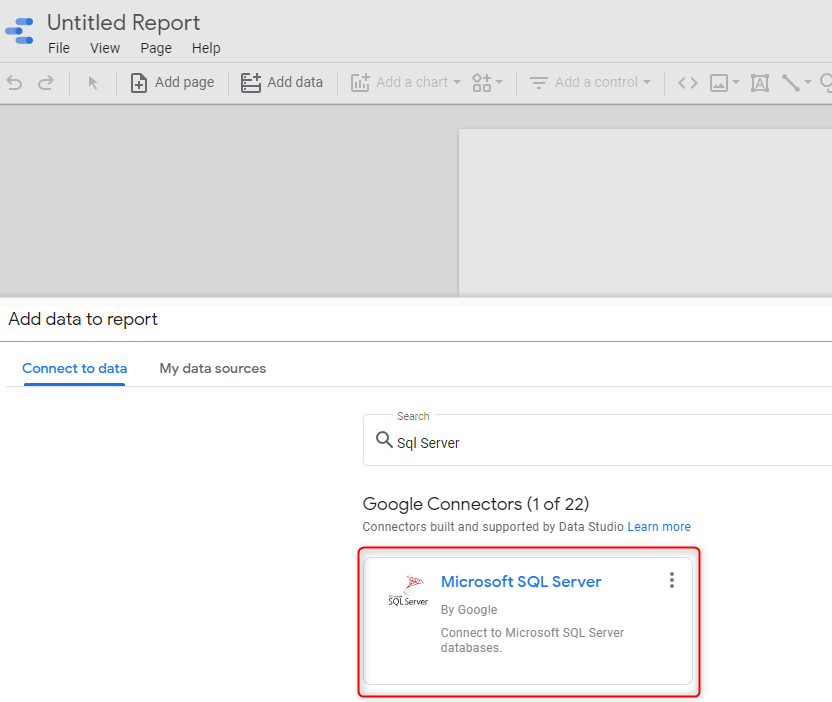
We now just need to tell Looker where to find your data, and for this we use the built-in SQL Server connector - easy! Hit the Add Data button, then search for “SQL Server”:
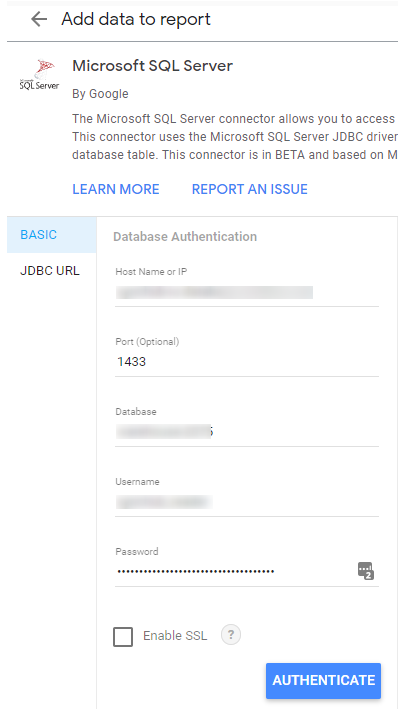
Now, plug in the credentials which you downloaded from SyncHub earlier:
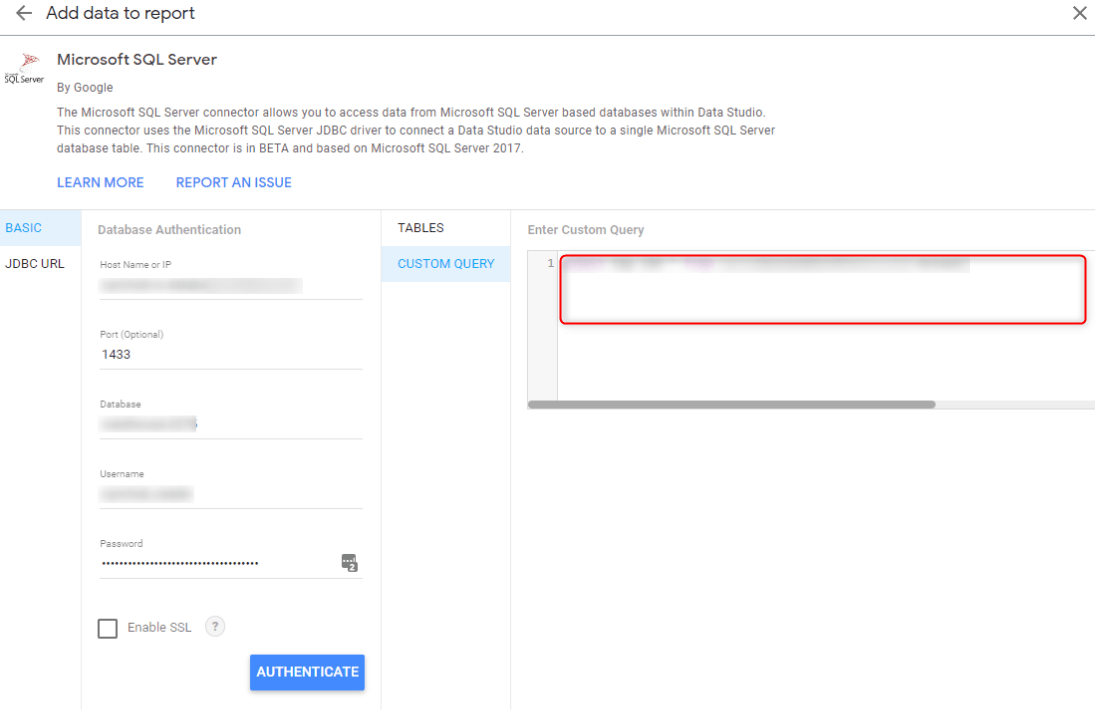
Once authenticated, you can write a custom query to extract just the view you need. For example, this SQL grabs the top few records from your Job table:
select [Name], [Description], [PercentComplete], [StartDate], [FinishDate]
from schema_myobbusiness_1.Job
Keeping your data up-to-date
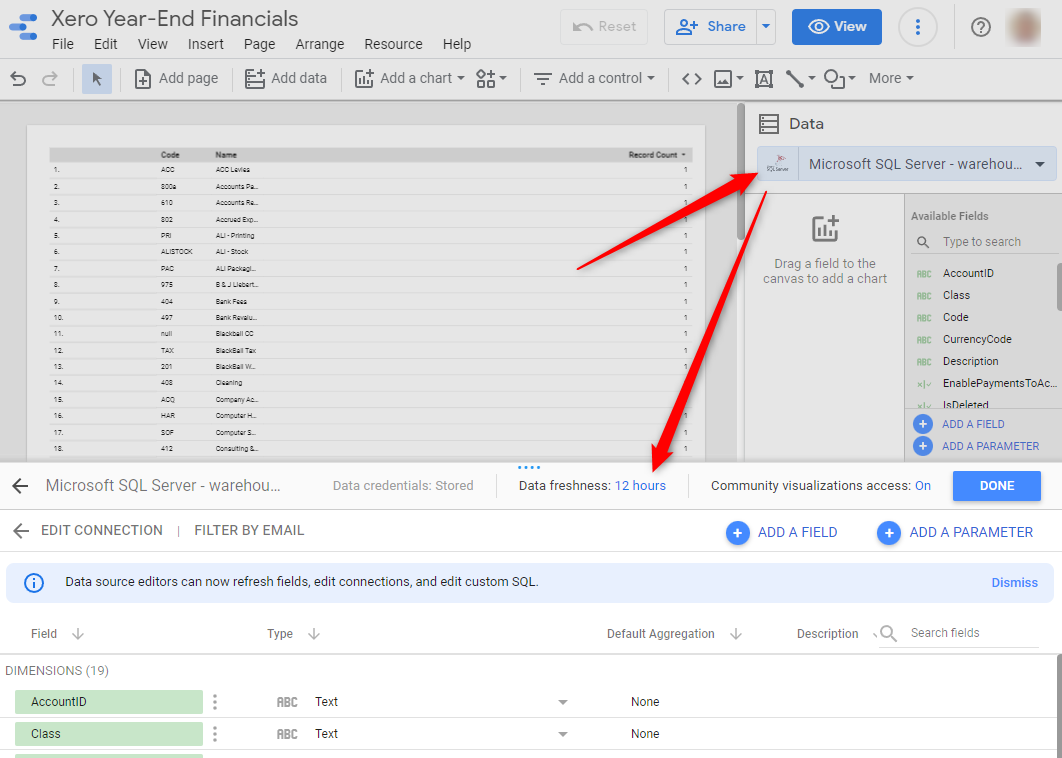
SyncHub updates it’s staged data from MYOB Business in near-realtime, so it’s always available. However, Looker offers it’s own cache which may have a different refresh setting. To adjust the freshness of your data, remember to Edit your connection and then the Data Freshness value:
Beyond MYOB Business
MYOB Business-specific reports are essential, but the true power of SyncHub comes when you augment your MYOB Business data with additional information:
- SyncHub allows you to pull in data from multiple MYOB Business accounts, and compare/report/aggregate from within the same Looker report. See this blog article for details on aggregating your MYOB Business data.
- Most businesses use multiple cloud platforms. SyncHub provides connectors to a wide range of popular cloud platforms. Imagine the insights you could gather by consolidating this information into a single dashboard (or see this case study for real-world examples).
So what are you waiting for? Grab a free trial of SyncHub here and see what you can do. In ten minutes from now, you could be reporting against your MYOB Business data and taking your first steps towards a data-driven business.