Webhooks are an extremely popular technology used by SaaS platforms to facilitate app-to-app interoperability. Unlike API requests, where information is pulled (usually on a timer), webhooks are pushed, which makes them ideal for near real-time notifications.
In this article, we'll take you through the key notifications that SYNCHUB supports with webhooks, and how to configure them.
Configuring your webhook
Webhooks are instigated from within different specific contexts throughout the site, as follows.
Sync run completed
Your endpoints (database tables) are populated by SYNCHUB on a schedule, and you can use webhooks to notify listeners when these are completed. This 'completion' also includes the success/fail state of the sync, plus any supporting details.
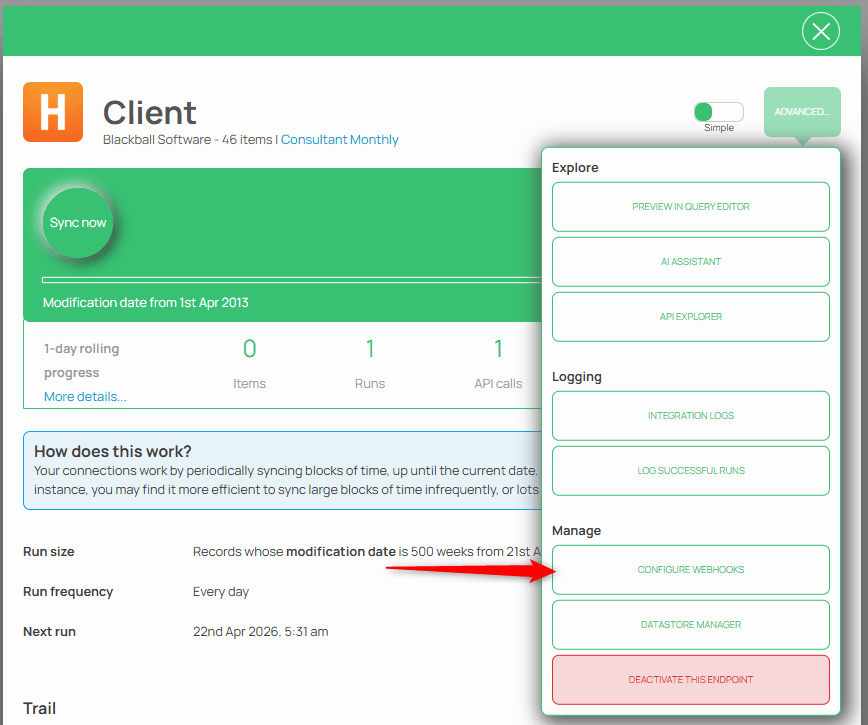
You can configure webhooks right down to the endpoint level, so just open up your Endpoint Details, then select the Configure webhooks option:
Insight population completed
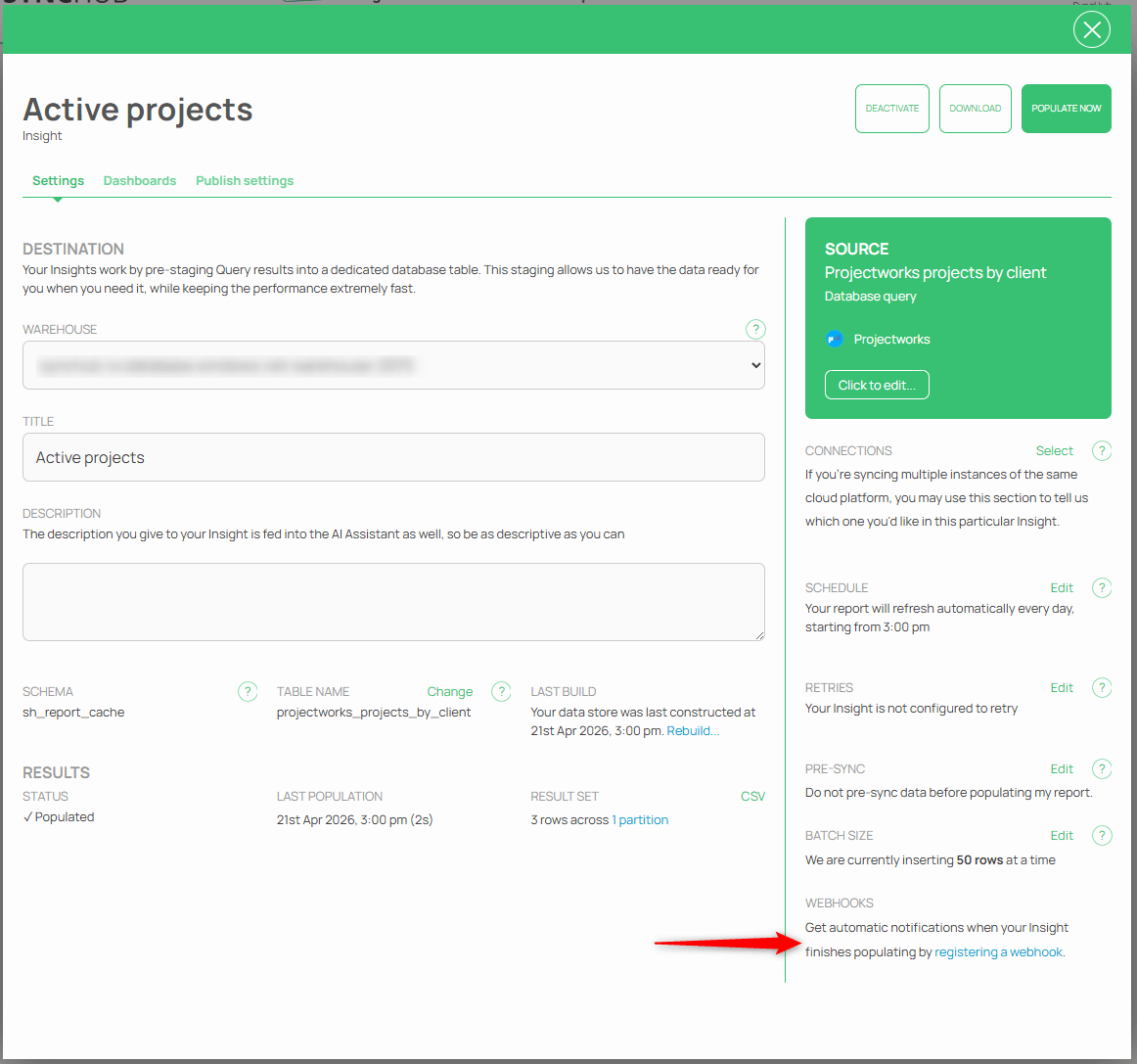
Similarly, our Insights also populate on a schedule and you can configure webhook notifications from these too:
Configuring your destination
Our webhook system is very flexible, allowing you to manage your destinations and subscriptions separately. This facilitates scenarios such as:
- A single URL that receives all webhooks from our application (your application would examine the payload to determine the type of payload that was sent to it). For example,
https://api.acme.com/onevent; or - A different URL for every webhook event we support. For example,
https://api.acme.com/onsyncfinishedandhttps://api.acme.com/oninsightpopulated; or - You may send the same webhook event to multiple different destinations. For example, you may wish to sync Insight Population notifications to both
https://api.acme.comandhttps://api.myapp.com.
Our wizard prompts you through these steps after you have initiated the process from the step above:
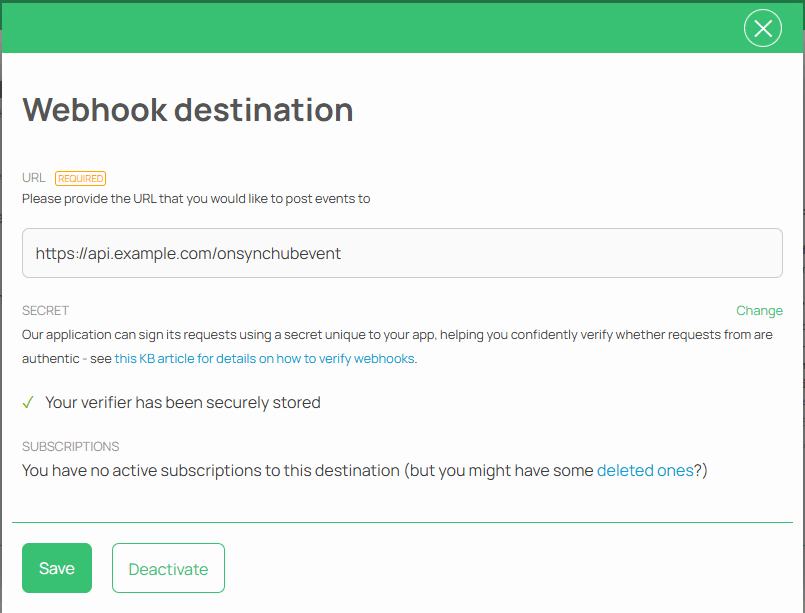
When setting up a destination, you are also encouraged to provide a secret, which we use to hash an HTTP header in our webhook requests. This hash helps you verify that the webhook request is indeed coming from us and mitigate falling victim to things like replay-attacks.
Testing your webhook
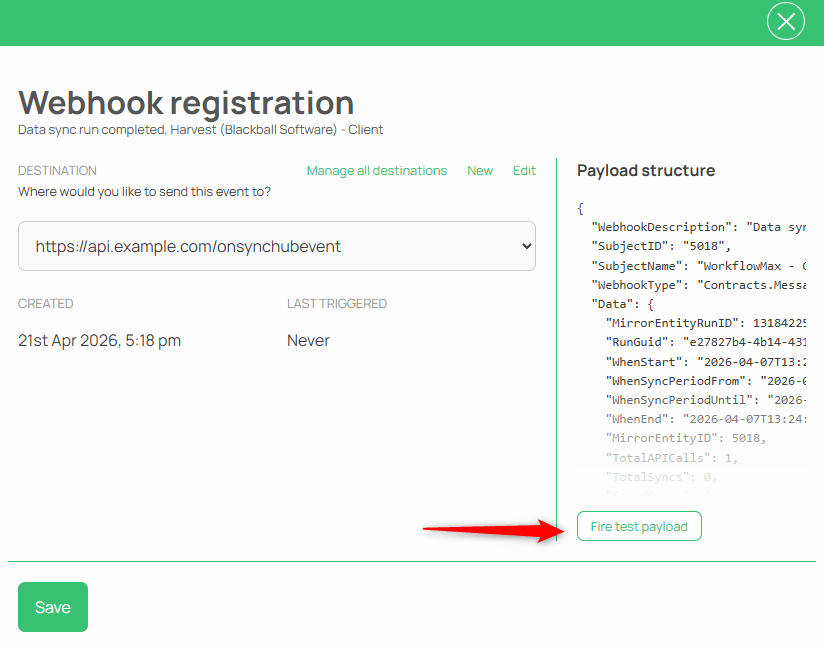
To help you build out your receiving endpoint, you can use our Test payload functionality to send a fully-populated request:
It's all about connectivity
SYNCHUB is all about getting your data where you need it. Our new webhook functionality provides another tool for you to improve your data workflows. I hope you have as much fun using them as we did building them.